

Download videos from popular social networking sites using विडमेट
YouTube, Facebook, Instagram and Twitter — we use these apps almost every day. We watch many videos on these apps daily. Often we like some videos and want to download them, but as you know, these apps don’t provide a direct download option, so we end up searching on Google for ways to download videos. This wastes a lot of time and we rarely find a good solution. But you don’t have to face this problem anymore because today I will tell you about an app that helps you easily download videos from all those social media apps. The app’s name is विडमेट.
विडमेट is a top video downloader Android app. It’s an all-in-one app where you can find solutions for many needs. For example, you can watch and download the latest movies, latest songs, great WhatsApp status videos/images, TV shows and more on this app. In addition, you can use all the social media apps listed above inside this app and download any videos or images you view there. Now let me show you how to do all this on the विडमेट app. First of all, download the विडमेट app on your phone — a step-by-step guide on how and where to download is given below:
- Visit विडमेट app's official site.
- On the site you will see a button labeled Official Download — click on it.
- After clicking the download button, the VidMate apk file will begin downloading.
- After the VidMate apk finishes downloading, tap it and install the app.
- Note that this app is not available on the Google Play Store, so you will need to grant the necessary permissions while installing to allow the app to be installed successfully on your Android phone.
Let me assure you this app is 100% safe, so feel free to install it. I have been using this app for about 2–3 years and I have not faced any problems on my phone because of this app.
How to download videos from social media platforms using the विडमेट app?
- When you open the app you will see a 'Sites' option — tap it.

- You’ll find a list of popular social sites — open the site from which you want to download videos. For example, below I’ll explain how to download videos from Instagram.

- After tapping the Instagram site you’ll see a login option. Enter your login ID and password there to sign in.

- After logging in, a red download button will appear over any video or image you see on the site. Tap the download button over the video or image you want to save.

- Now tap the big download button below and your video will download at super-fast speed.
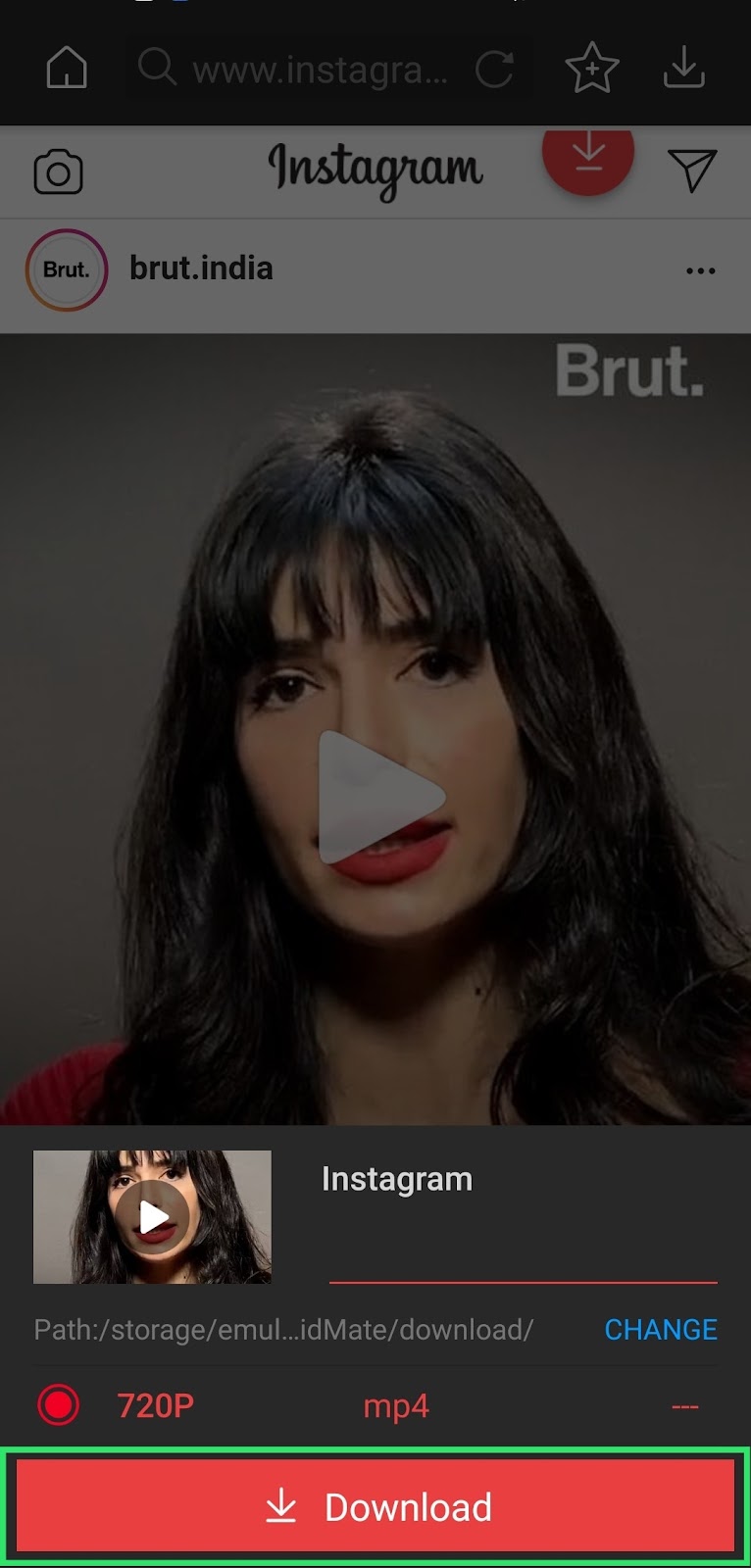
This way you can easily and quickly download any video or image from social media platforms. In addition, with the help of विडमेट you can also download other people's WhatsApp statuses. When you see friends' and family members' statuses on WhatsApp and like one, you usually ask them to send it. But if you have the विडमेट app installed, you don’t need to ask for it. Yes — विडमेट automatically makes all the statuses you view on WhatsApp available to download. Let’s see how you can download those statuses on विडमेट.
- After viewing others’ statuses on WhatsApp, open the विडमेट app and you’ll see a WhatsApp icon right there — tap it.

- On the next page you’ll see all the statuses you viewed — tap the one you want to download and press the download button below to save it.


